Ever since many of us swapped our office commutes for a walk to the living room, our dogs have become our most loyal (and sometimes, most distracting) coworkers. They’re there for every video call, every coffee break, and every deadline. So, why not make it official? It’s time to teach your dog how to ‘work from home’ with one of the most amusing and impressive tricks around: typing on a keyboard!
Now, before you start dreaming of your pup answering your emails, let’s be clear: this is a fun trick designed for mental enrichment and bonding, not for outsourcing your workload. Teaching your dog to ‘type’ is an incredible way to engage their brain, build their confidence, and strengthen your relationship through the power of positive reinforcement training. It’s a fantastic party trick that’s guaranteed to get smiles and laughs. In this guide, we’ll walk you through the entire process, from gathering your ‘office supplies’ to troubleshooting common glitches in the ‘puppy-net’. Let’s get ready to turn your furry friend into the cutest keyboard warrior you’ve ever seen!
Ready to Onboard Your Canine Coworker? Here’s What You’ll Need
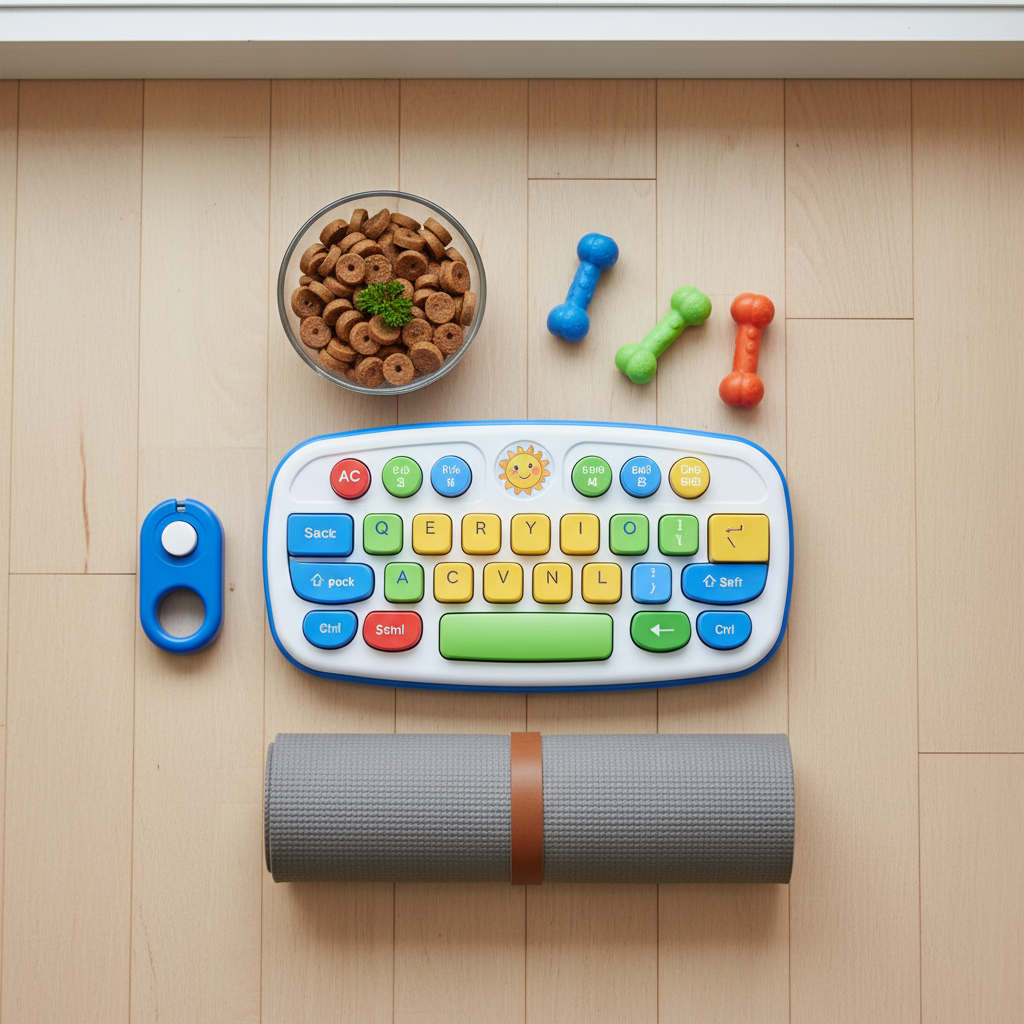
Before you can clock in for your first training session, you’ll need to set up your dog’s ‘workstation’. This trick doesn’t require a lot of fancy equipment, but having the right tools will make the process smoother and more enjoyable for both of you. Think of this as getting your new employee their essential office supplies!
Essential ‘Office’ Equipment:
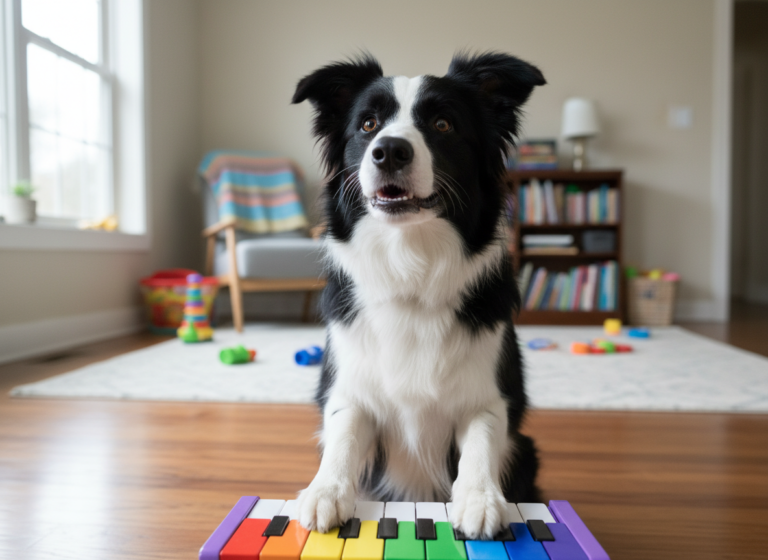
- A Dog-Friendly ‘Keyboard’: This is the star of the show! You don’t want to use your expensive laptop or a standard computer keyboard, as they can be easily damaged. Instead, opt for something sturdy and safe. An old, unplugged keyboard, a large toy keyboard for kids, or even a DIY board with large, pressable buttons works perfectly. The key is that it’s big enough for a paw and can withstand some curious sniffing and tapping.
- High-Value Treats: Your dog’s ‘paycheck’! Standard kibble might not be motivating enough for this kind of brain work. Use small, pea-sized, high-value treats that your dog absolutely loves. Think tiny pieces of cooked chicken, cheese, or their favorite soft training treats. The smaller they are, the more repetitions you can do in a single session without overfeeding.
- A Clicker (Optional, but Recommended): A clicker is a fantastic tool for marking the exact moment your dog performs the correct action. This precise communication can speed up the learning process significantly. If you’ve never used one, don’t worry! We’ll explain how it works. If you prefer not to use a clicker, a consistent verbal marker like a sharp “Yes!” works too.
- A Non-Slip Surface: Training should always be done on a surface where your dog feels secure. A rug, a yoga mat, or a non-slip mat will prevent your dog from sliding around, especially as they start to shift their weight to tap the keyboard.
- A Low Stool or Platform (for later stages): Once your dog gets the hang of it, you’ll want to create a more realistic ‘desk’ setup. A sturdy, low stool, a step, or even a stack of old books can serve as a platform for the keyboard and a chair for your dog. Ensure it’s stable and at a comfortable height for your pup.
- Patience and a Positive Attitude: This is the most crucial item on the list! Remember, this is a game. Keep your energy light, positive, and encouraging. Every dog learns at a different pace, so celebrate the small wins and keep your sessions short and fun.
Expert Tip: When choosing a keyboard, avoid any with small parts that could be chewed off and swallowed. A simple, one-piece toy keyboard is often the safest and most effective choice for this trick.
Step 1: The ‘New Equipment’ Orientation – Getting Comfortable with the Keyboard
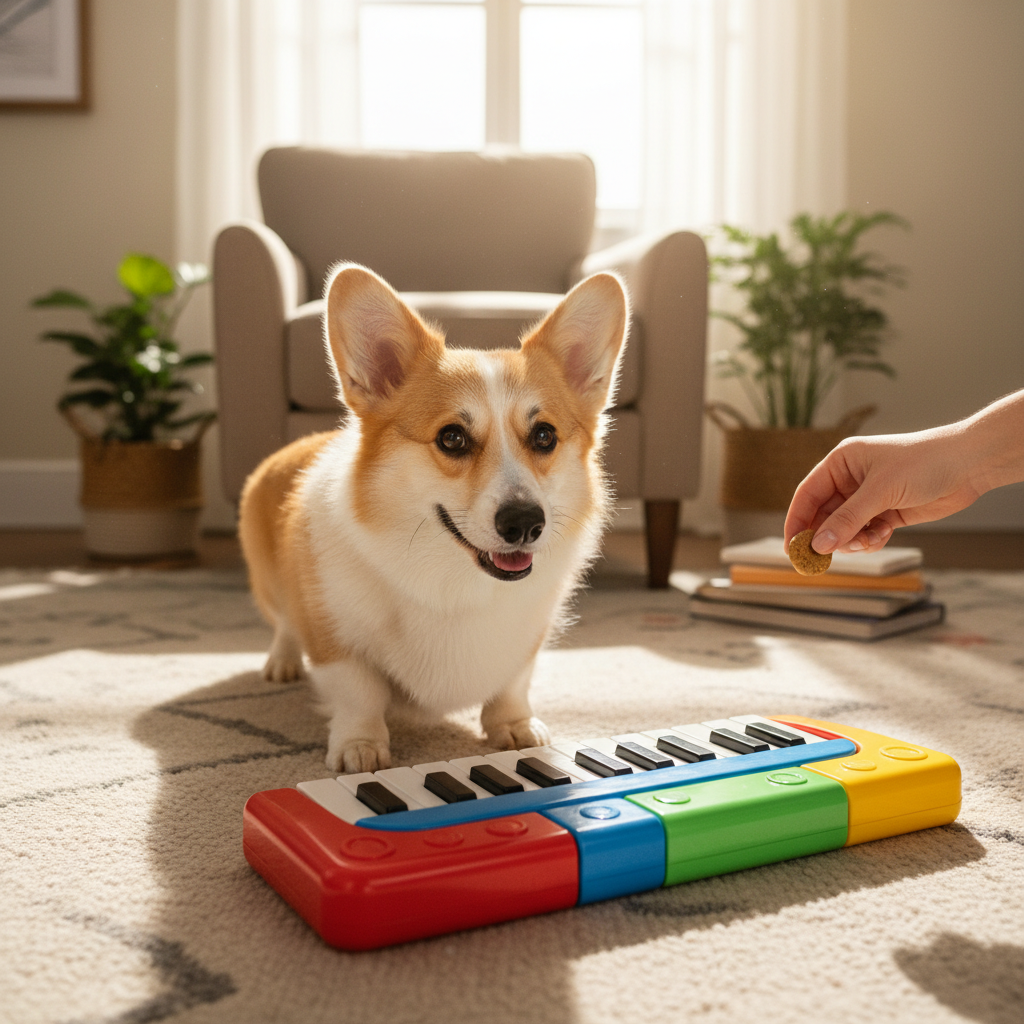
The first and most important step is to ensure your dog has a wonderful, positive association with this strange new object. If you just shove a keyboard in their face and expect them to touch it, they might be nervous or intimidated. Our goal in this phase is to make your dog think the keyboard is the best thing since squeaky toys.
Building a Positive Foundation:
- Introduce the Object: Place the keyboard on the floor in the middle of your training area. Don’t push it towards your dog. Just let it be there. Act completely casual about it.
- Reward Curiosity: The moment your dog shows any interest in the keyboard, you’re going to ‘mark’ that behavior and reward it. If you’re using a clicker, you’ll ‘click’ the instant they perform the action. If you’re using a verbal marker, you’ll say “Yes!”. Here’s what to look for:
- Looking at the keyboard? Click and treat!
- Sniffing the keyboard? Click and treat!
- Moving a step closer to the keyboard? Click and treat!
- Accidentally bumping it with their nose or paw? Jackpot! Click and give several treats!
- Keep it All Positive: During this stage, do not ask for any specific behaviors. Don’t say “touch it” or “paw.” We are simply rewarding their choice to interact with the object on their own terms. This process, called shaping, builds confidence and makes the dog an active participant in the learning game.
- Short and Sweet Sessions: Keep your training sessions very short, just 1-3 minutes at a time, especially at the beginning. End each session on a high note, with a successful repetition and lots of praise. You can do several of these short sessions throughout the day. This keeps your dog engaged and eager for the next ‘game’.
You’ll know you’re ready to move on to the next step when your dog sees you take out the keyboard and immediately gets excited, willingly approaching it and sniffing it, anticipating the fun (and the treats) to come.
Step 2: From Intern to Employee – Encouraging Paw-to-Key Contact
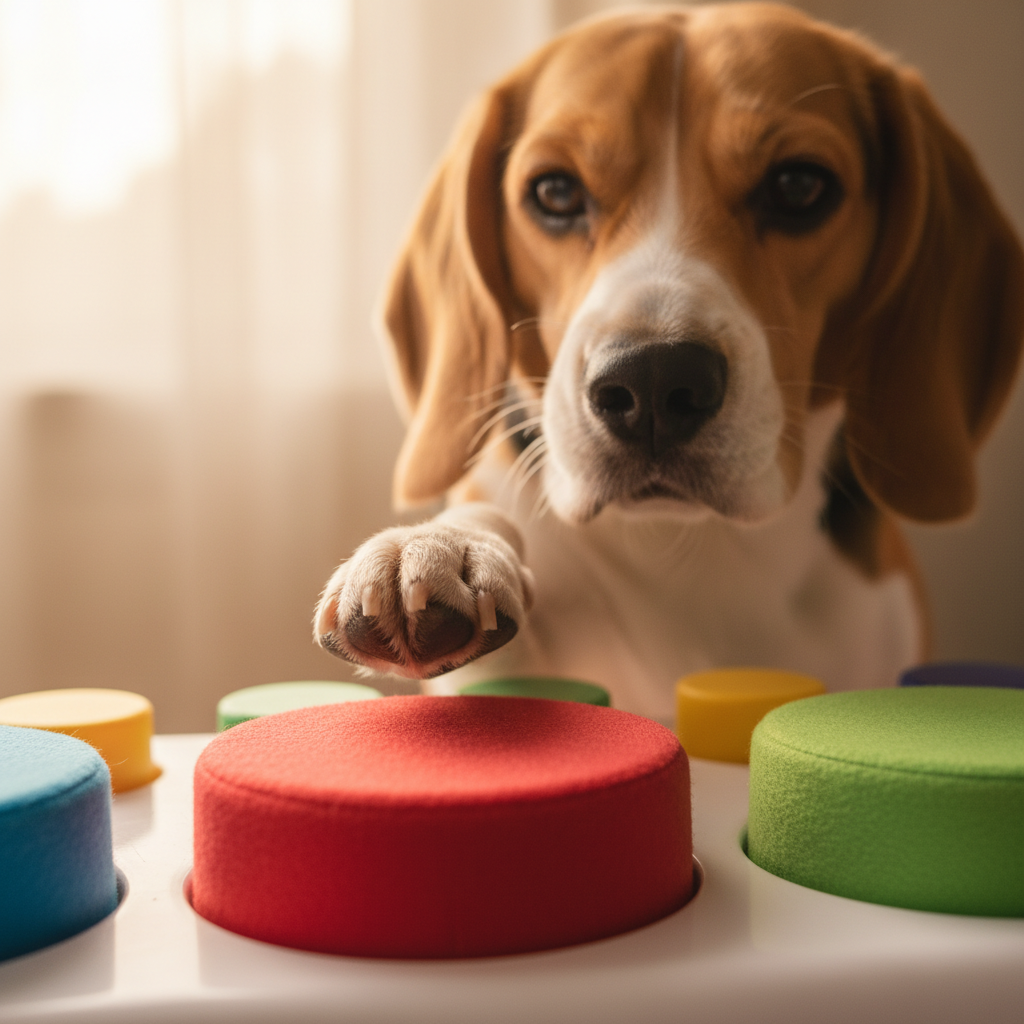
Once your dog is comfortable and happy around the keyboard, it’s time to start shaping the specific behavior we’re looking for: a paw touch. This is where your timing as a trainer becomes key. We’ll gradually guide your dog from general interaction to a deliberate paw tap.
Shaping the ‘Typing’ Motion:
- Lure the Paw: Hold a treat in your closed hand and place your hand directly over the keyboard. Your dog will likely sniff and lick your hand. Wait patiently. At some point, they will likely try to use their paw to get the treat out of your hand. The very instant their paw touches your hand (which is over the keyboard), click and treat! Practice this a few times until they are consistently pawing at your hand over the keyboard.
- Transition to the Keyboard: Now, we want to transfer that pawing motion from your hand to the keyboard itself. Place a treat directly on the surface of the keyboard. When your dog goes to get it, they will likely touch the keyboard with their nose or tongue. That’s okay. But what we’re watching for is any paw interaction. If they use their paw to try and get the treat, click and reward that paw touch!
- Isolate the Paw Touch: The goal is to stop rewarding nose touches and only reward paw touches. This is the core of shaping. You are selecting the specific behavior you want and reinforcing it. If your dog is struggling, go back to luring their paw with a treat in your hand just above the keys. As they get better, you can start to raise your hand slightly, so their paw makes contact with the keys before it touches your hand.
- Introduce the Verbal Cue: Once your dog is reliably offering a paw touch to the keyboard around 80% of the time you present it, you can add a verbal cue. Right before you anticipate they are going to touch it, say your chosen cue in a clear, happy voice. Good cues include “Type,” “Work,” or “Keyboard.” Say the cue, wait for the paw touch, then click and treat. Repetition will build the association between the word and the action.
Troubleshooting Tip: If your dog keeps using their nose, try holding a treat in one hand to occupy their nose while you use your other hand to gesture towards the keyboard to encourage a paw touch. You can even gently tap the keyboard yourself to show them what you want.
Step 3: Creating the Corner Office – Moving to the Desk Setup
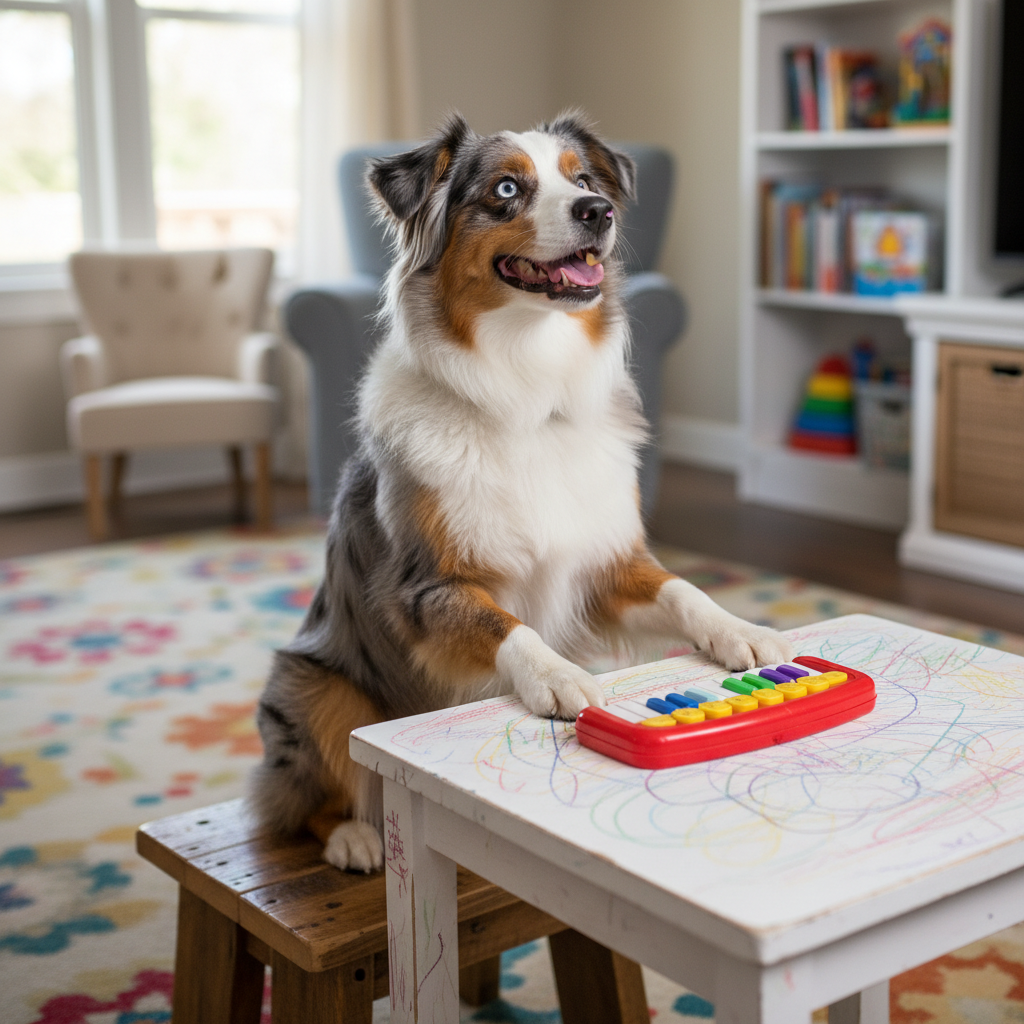
Your dog is now a pro at ‘typing’ on the floor. It’s time for a promotion! Moving the behavior to a more realistic desk setup is the final step in creating this amazing trick. This involves generalizing the behavior to a new context, which can sometimes be a challenge for dogs, so we’ll take it one step at a time.
Assembling the Workstation:
- Elevate the Keyboard: Start by placing the keyboard on a very low, stable object, like a thick book or a small step stool. Ask for the “Type!” cue. Your dog might be hesitant at first. Be patient and reward any attempt to interact with the keyboard in its new, elevated position. Keep practicing until they are just as confident as they were when it was on the floor.
- Introduce the ‘Office Chair’: Separately from the keyboard, introduce the stool or platform your dog will be sitting on. Use treats to lure them onto it and reward them for sitting calmly. You want them to feel comfortable and stable on their ‘chair’ before you add the keyboard back into the mix. Make the chair a fantastic place to be!
- Combine the Elements: Now, put it all together. Have your dog sit on their chair and place the elevated keyboard in front of them at a comfortable height. It should be easy for them to reach with their paws without straining. Ask for your “Type!” cue. This is a big step! The first few times, they might be confused. Reward any small success, even just reaching a paw towards the keyboard.
- Refine the Performance: Once your dog understands the game in its final setup, you can start refining the behavior. You can encourage them to tap multiple times or use both paws. The key is to keep it fun and not push them too hard. You’ve successfully taught them the whole trick!
Safety First! Always ensure the ‘desk’ and ‘chair’ are completely stable and won’t wobble or tip over. Your dog’s safety and confidence are the top priorities. If they feel unsafe, they won’t want to perform the trick.
Conclusion
Congratulations, you’ve successfully onboarded your new canine coworker! By following these steps with patience and positivity, you’ve done more than just teach a cool trick. You’ve spent quality time with your best friend, provided them with valuable mental stimulation that can curb boredom and anxiety, and strengthened the incredible bond you share. Every time your dog ‘types’ at their little desk, it’s a testament to your teamwork and communication.
So, the next time you’re on a video call and a colleague asks about the clicking sound, you can proudly pan the camera over to your dedicated employee, hard at work. Now go grab the clicker, some treats, and have fun with your brilliant, four-legged keyboard warrior!